
Users Page
The Users Page provides an overview of user engagement and allows for in-depth exploration of individual user profiles.
This setup allows you to manage and review user information efficiently.
Widgets
At the top, you'll find three widgets summarizing key user metrics:
- Wallets: Displays the total number of wallets connected to the site.
- User Profiles: Shows the number of users who have created a profile, including name, address, and other personal details.
- Discord Users: Indicates the number of users who have linked their Discord account.
User Table
Below the widgets, a searchable and filterable user table is available:
Search BarSupports partial substring matching for more flexible searches.
- Search Bar: Find users by wallet, Discord ID, Discord name, or user details (first name, last name, email).
- Role Filter: Use the dropdown to filter users by role: Root, Admin, or Support.
- Displayed Columns (from left to right):
- Role Indicator: A color-coded icon representing the user’s role type (e.g., root, admin, support, user).
- Wallet: The wallet linked to the user.
- Email: The user’s email address.
- Name: The user’s name, if provided in their profile.
- Discord: Information on their linked Discord account.
- Role: The role assigned to the user (e.g., root, admin, support, user).
User Info
Click on any user row in the User Table to access a detailed profile view
User Sync
The User Sync tool allows you to re-synchronize missing user data, such as tokens owned (more later in User Details below) or Discord server roles. This tool is especially useful if data is incomplete due to failures in external services that exceeded our retry mechanisms.
Use this tool to ensure that user data stays up-to-date and accurate despite rare external service disruptions.
User Details
- Discord Information: Details about their linked Discord account.
- Profile Details: Comprehensive user information from their profile.
- Tokens Owned: Overview of tokens the user holds.
- Season Pass Information: Information on any season passes held by the user.
- Presale Allocations: Details of presale allocations associated with the user.
- Token Transfers: History of token transfers related to the user.
Token Transfers Table
The Token Transfers Table provides a detailed view of all token transfers with flexible filtering and search options.
Filters and Search
Search BarSupports partial substring matching for more flexible searches.
Search Bar: Search by fields including "to," "from," "block hash," or "transaction hash."
Contract Filter: Allows you to filter transfers by specific contract. Defaults to "All Contracts."
Table Columns
The table displays the following columns from left to right:
- Image: An image representing the token.
- Token Name: The name of the token being transferred.
- Contract: The contract associated with the token.
- Transaction Hash (Txn Hash): The unique identifier of the transaction.
- From: The sender's address.
- To: The recipient's address.
- Block Date: The date when the transfer was recorded on the blockchain.
This table provides a comprehensive view of token transactions, making it easy to filter, search, and analyze transfers.
Season Pass
This table lists all current and previous seasons, with the total points accumulated shown on the right. Clicking a season name opens the Awarded Points table, where you can review how points were earned.
Season Pass Points Transfer Action
If you need to move points from one wallet to another, click Transfer Points. This opens a transfer wizard where you select point rows to move and provide a destination wallet. Transfers are performed for one destination wallet per run.
Transfers currently do not apply any Season Pass multiplier. If you need additional points to be reflected on the destination wallet, use the Gift Points tool instead.
Multiplier support will be added in a future update.
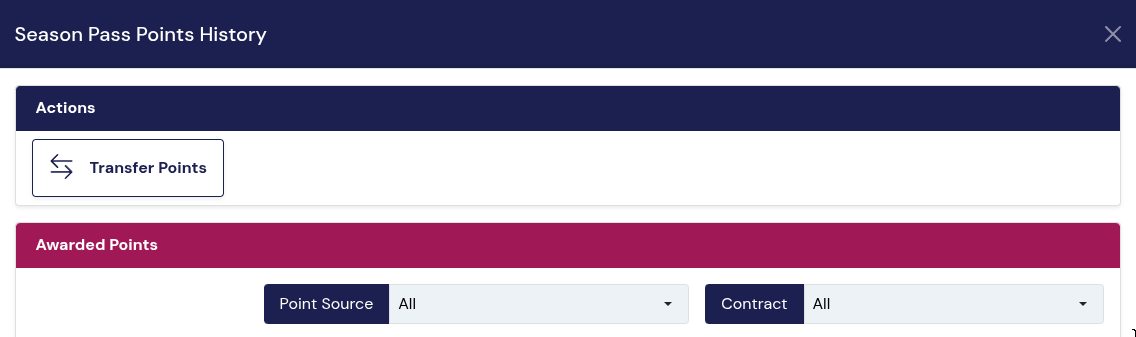
Steps:
- Click Transfer Points.
- Find the user using the Search bar (top right).
- Select the point rows you want to move.
- Click Next.
- By default,
Apply points multiplieris enabled. When enabled, the transfer will attempt to apply the bonus multiplier for the destination wallet if it meets the multiplier requirements. If no multiplier is configured for the season (or the destination wallet doesn’t qualify), points transfer as-is with no bonus applied. - Review the summary, then click
Transfer Pointsto confirm.
Updated 8 months ago